
Read what you hear, on any app.
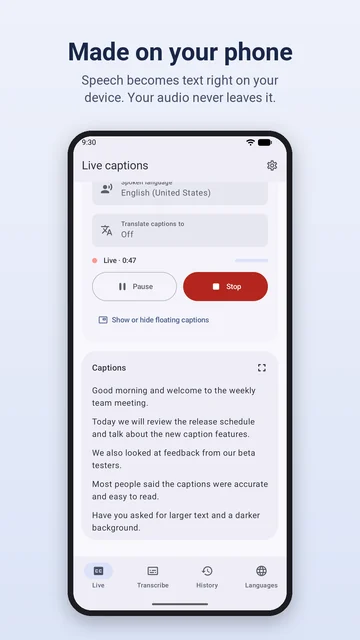
HexCaptions turns speech into text in real time, for anything playing on your phone or anyone talking near it. Captions are made on your device, so your audio never leaves it.
- On-device speech recognition
- No account
- Works offline
- Android 10 and later
- languages
- 60+
- Whisper packs, plus Standard packs for nearly 30
- translation languages
- 50+
- Translated on your phone as captions appear
- app languages
- 9
- English, Arabic, Chinese, French, German, Indonesian, Italian, Russian, Spanish
- accounts
- 0
- No sign-up, and your audio never leaves your phone
Captions for the video, the call and the room.
Choose what to listen to, pick the spoken language, and read along as it's said.
Caption anything playing
Videos, podcasts, voice messages and most video apps. Caption every app at once, or just one.
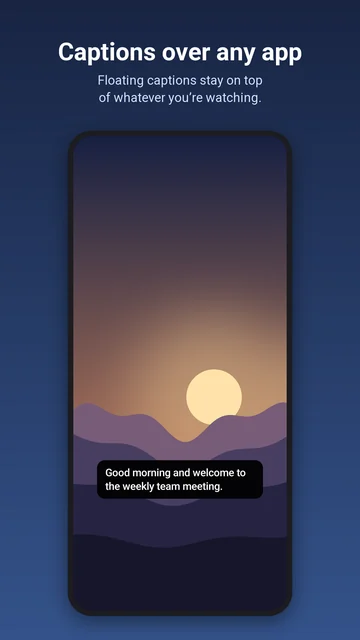
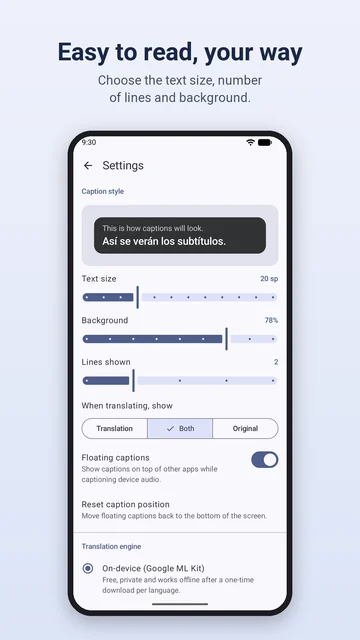
Floating captions
Captions stay on top of the app you're watching. Drag them anywhere and change the text size on the spot.
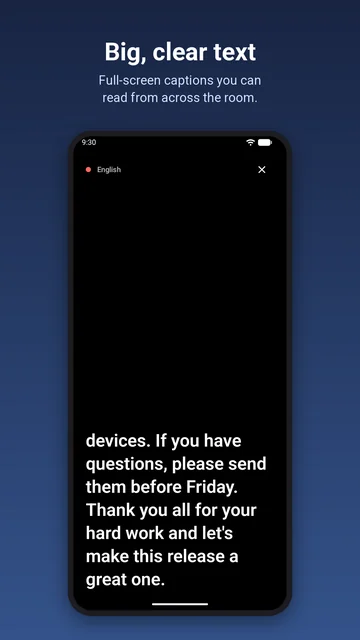
Caption a conversation
Point the microphone at whoever is talking, and show their words in big, full-screen text across the table.
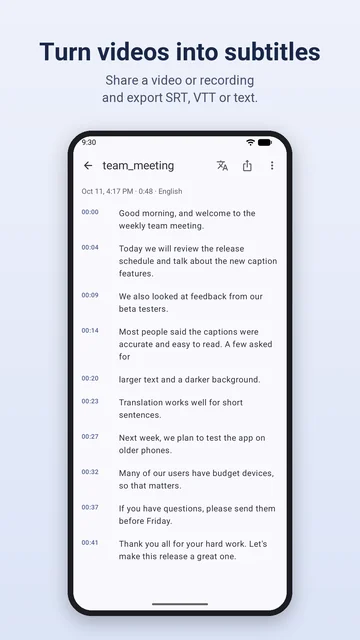
Subtitles for your videos
Share a video or voice recording from any app. Get timed subtitles, then export SRT, VTT or plain text.
Translate as you go
Captions are translated on your phone into 50+ languages. Show the translation, the original or both.
Easy to read, your way
Pick the text size, the number of lines and the background. Light and dark themes in a color you choose.
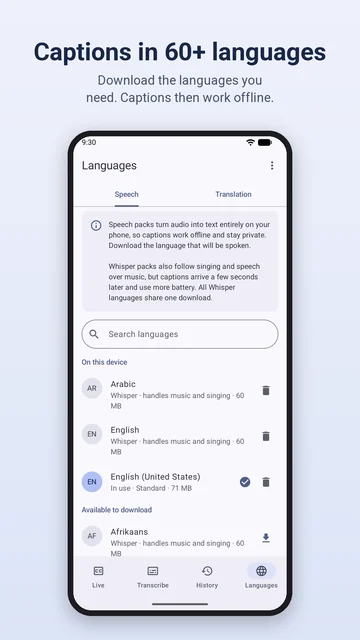
Download the languages you need.
Speech packs turn audio into text on your phone. Pick a light pack for everyday speech, or Whisper for accents, songs and speech over music.
Some streaming apps block other apps from capturing their sound, so their audio can't be captioned. Most video apps pause when you switch away; floating captions let you read along while you watch.
Standard packs
For nearly 30 languages. Fast and light, they run on almost any phone and suit everyday speech.
Whisper packs
For 60+ languages. Better with accents, songs and speech over music, best on recent phones. All Whisper languages share one download.
Download once, then offline
Each language downloads once. After that, captions and on-device translation work without a connection.
From the first word to the subtitle file.
Real screens from the app. Scroll sideways for the rest.
Your audio stays on your phone.
No account. Ads and crash reports never see your audio or captions.
Made on your phone
Speech recognition runs on your device. Audio goes straight to the speech pack and is never recorded or saved.
No account
No sign-up. Your transcripts and settings are kept in the app's private storage.
Only crash reports reach us
If the app crashes, a report of what went wrong comes to us through Firebase Crashlytics, never your audio, captions or files. Connections are HTTPS only.
Delete it any time
Delete one transcript or all of them in the app, or uninstall HexCaptions to remove everything.
Why HexCaptions asks for the microphone: Android requires it before any app can capture other apps' sound, and it captions the people around you when you choose Microphone. On-device translation uses Google ML Kit, which sends Google diagnostic data about how it runs, never your captions. If you connect your own LibreTranslate server, caption text goes to that server only.
Read the privacy policy
Questions or feedback? Tell us.
Email support@thebughex.com with what you were captioning, the language and your phone's model, and we'll look into it.