
Every song and video on your phone, in one player.
HexPlayer plays the music and videos you already have — offline, with no account. Play a video as audio with the screen off, tune it with a 10-band equalizer, or paste a link to a song, video or radio station.
- Android 8.0 and up
- Phones, tablets and foldables
- Your library works offline
- audio formats
- 7
- MP3, M4A, AAC, FLAC, OGG, Opus, WAV
- video formats
- 7
- MP4, MKV, AVI, MOV, WebM, 3GP, FLV
- equalizer bands
- 10
- 31 Hz to 16 kHz, with presets
- languages
- 5
- English, Arabic, German, Indonesian, Korean
Built for the files you already have.
No streaming catalogue to sign up for. HexPlayer finds the songs and videos on your phone and makes them easy to play — including the ones that happen to be videos.
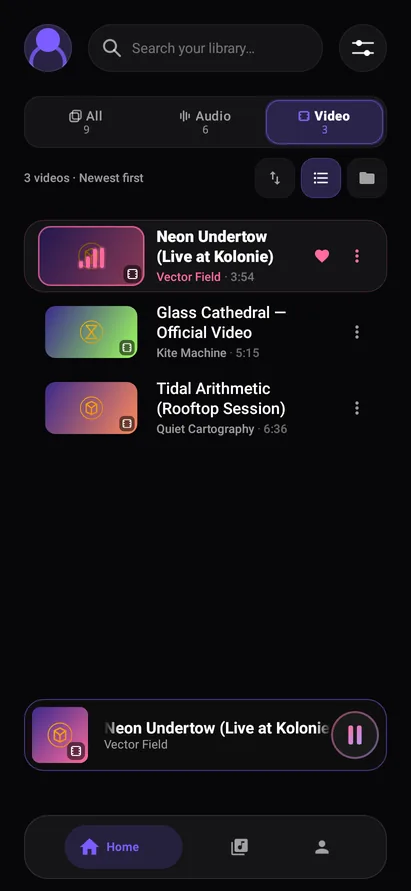
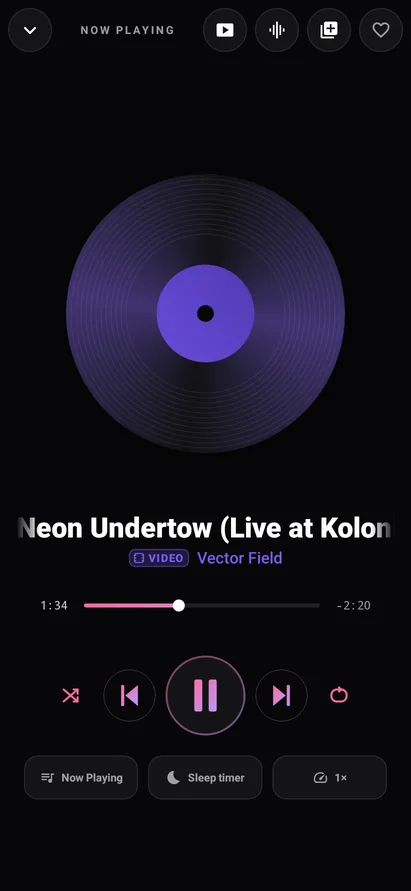
Play videos as audio
A concert, a lecture or a podcast saved as a video keeps playing with the screen locked, like any song.
A full video player
Swipe to seek, or for brightness and volume. Double-tap to skip, hold for 2×, pinch to zoom, and switch the audio tracks and subtitles inside the file.
Play a link
Paste a link to a song, video, playlist or internet radio station. HLS, DASH, Icecast and .pls or .m3u station lists all play.
10-band equalizer
Shape the sound from 31 Hz to 16 kHz, or pick a preset, including Voice for lectures and podcasts.
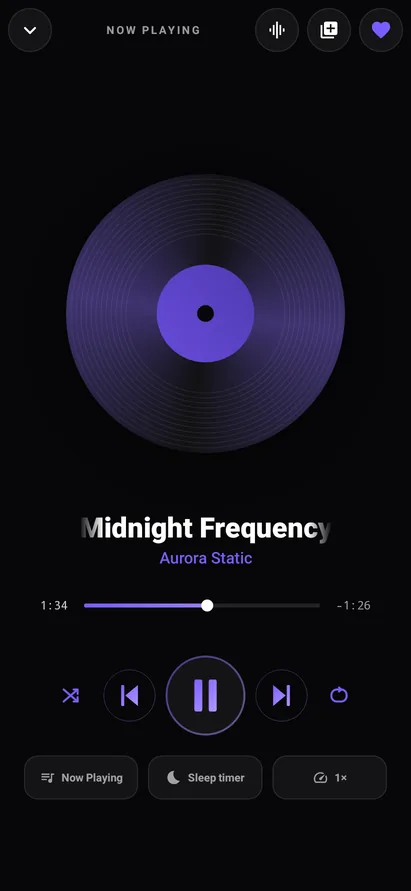
Sleep timer and speed
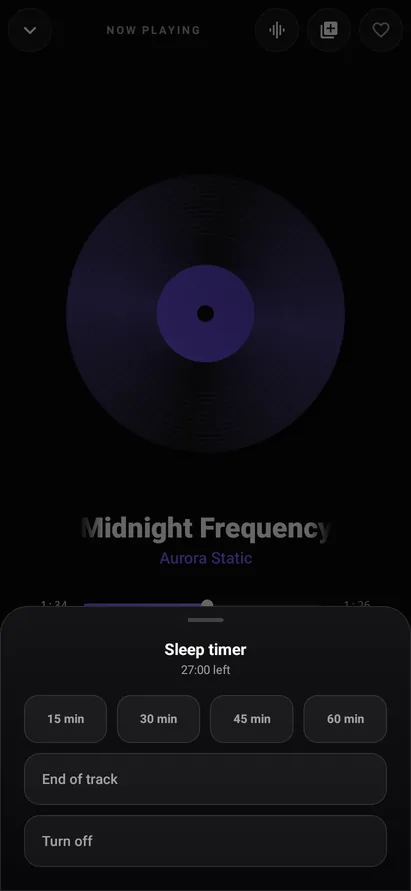
Stop after 15 to 60 minutes or when the song ends. Play from 0.5× to 2× without the chipmunk voice.
Picks up where you left off
Your queue, your track and your place in it are still there after you restart your phone.
Opens files from other apps
Tap “Open with HexPlayer” in your file manager, Downloads or a chat, or share a song or video to it.
Your library, your rules
Skip short files, switch off whole folders or hide formats, so ringtones and voice notes stay out.
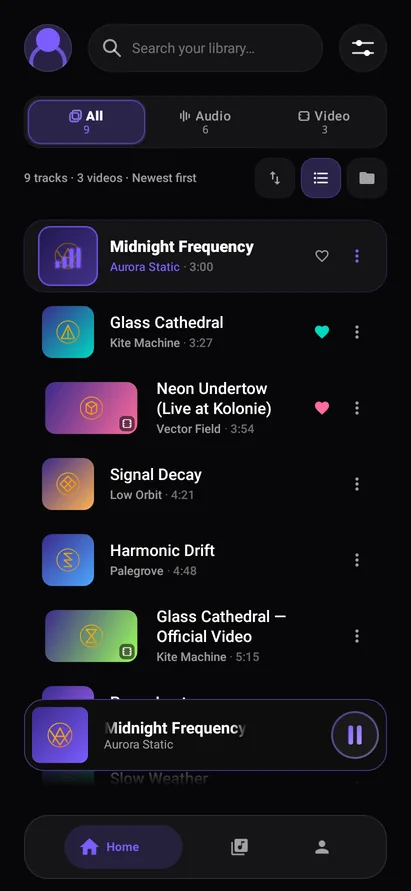
Favourites, albums and a queue
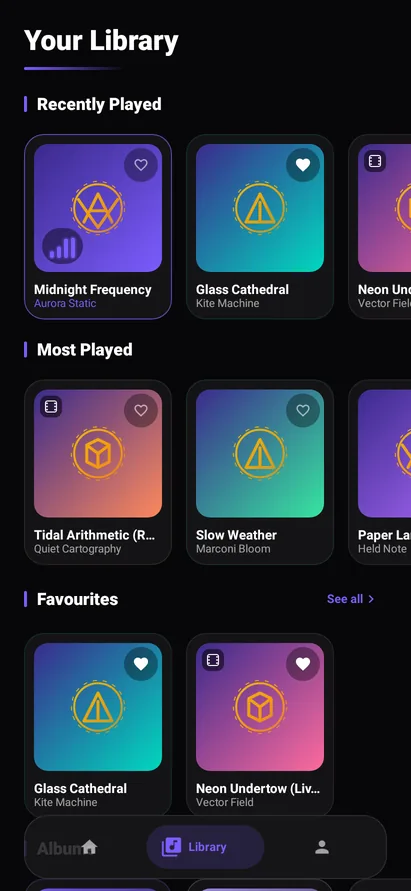
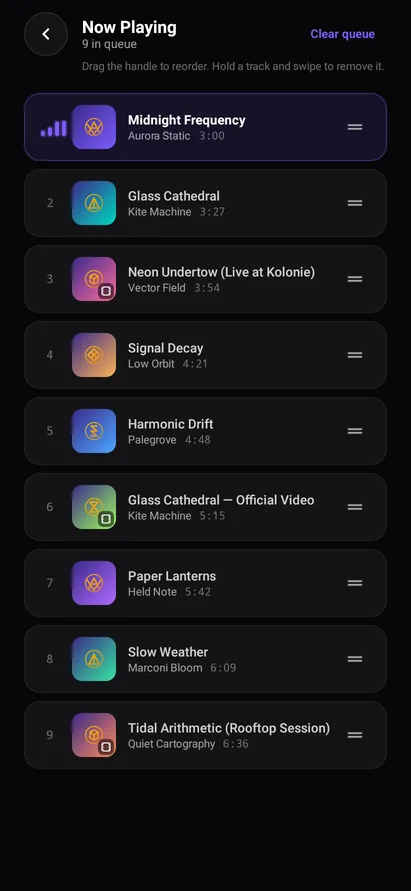
Heart tracks, make your own albums, and drag the queue into order. Recently and most played are ready.
Dark, quick, and out of your way.
These are rendered from the app itself. Scroll sideways for the rest.
Your phone, your tablet, your language.
Portrait or landscape, a small phone or a foldable. HexPlayer follows your font size, works with TalkBack, and has controls on the lock screen, in the notification, on Bluetooth headphones and in Android Auto.
Speaks five languages
- English
- العربية
- Deutsch
- Bahasa Indonesia
- 한국어
Arabic reads right to left, except the playback controls: a timeline isn't a sentence.
Your files stay on your phone.
HexPlayer is paid for by ads. Here is what that does and doesn't mean.
Your media stays on your phone
Your files, library, favourites, albums and listening history are never uploaded — not to us, not to anyone.
No account
HexPlayer never asks for your name, email address or phone number.
A link goes only where you point it
When you play a link, HexPlayer connects to that address and nothing else.
Ads and diagnostics, in plain words
Google AdMob shows the ads, Firebase reports crashes and usage. The policy says exactly what they receive, and you choose about personalised ads.

Something not working? Tell us.
Email support@thebughex.com with what happened and your phone's model, and we'll look into it.